
First-order conversion
Give new visitors a reason to buy now instead of bookmarking and forgetting.
Shopify discount popups
A Shopify discount popup turns hesitant first-time visitors into buyers. Show a code for a sale, a first order, or a visitor about to leave — and keep regulars paying full price.
Discounts work best when they’re targeted. Blanket offers on every page train customers to wait for a code.
Give new visitors a reason to buy now instead of bookmarking and forgetting.
Make sure every visitor knows about a weekend or seasonal sale and its code.
Ask for an email in exchange for the code, so even shoppers who don’t buy today join your list.
Create the discount code in Shopify admin first (Discounts → Create discount), with any minimums, expiry, or one-use-per-customer limits you need. Then put that code in your popup — Popup Wizard displays it; Shopify enforces the rules at checkout.
Target the offer. Showing the same code to everyone on every page devalues it. Common patterns are showing it only once per visitor (no re-show), product and collection pages only (URL rules), or exit-intent only so the discount appears just for shoppers who were about to leave.
If you want an email in return, put an email field in the popup and send the code in your Klaviyo welcome flow. That way the discount reaches a real inbox, and you keep the subscriber even if they don’t buy today.
Common mistakes
Clear offer, visible code, and one button that sends shoppers to the sale.
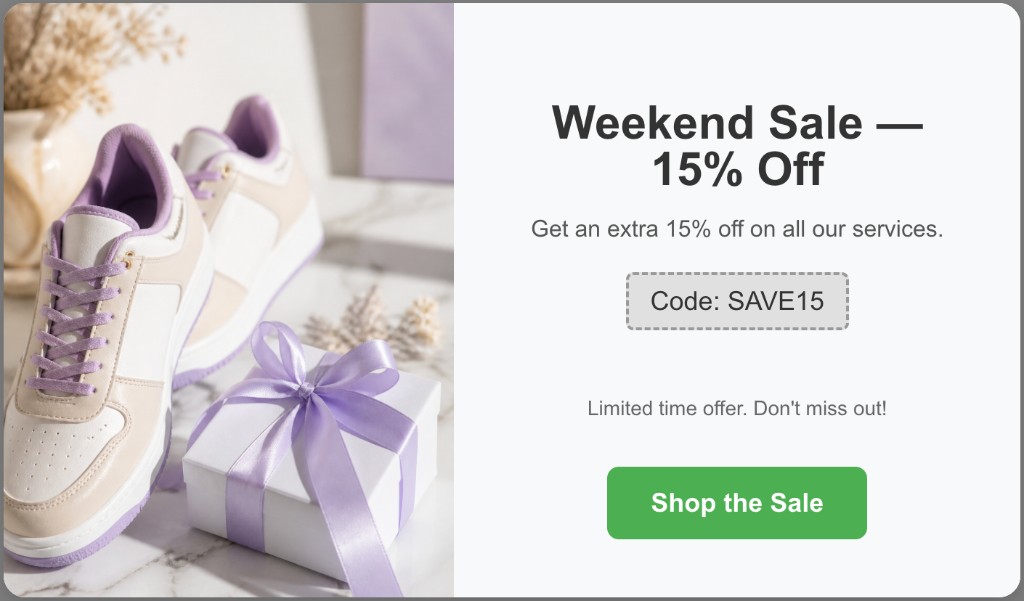
Illustrative Popup Wizard campaign concept
Create the code in Shopify, then publish the popup in a few minutes.
Go to Discounts, create a code, and set limits like minimum order or expiry.
Prompt something like “Weekend sale, 15% off with code SAVE15, button Shop the sale” — or build it manually.
Limit to specific pages, mobile or desktop, or exit-intent, and cap re-shows so the offer stays special.
Watch impressions, dismissals, and conversions in the dashboard and adjust the offer.
No template maze. Describe the popup you want and let AI draft it, or build a bar or modal yourself in the Popup Wizard dashboard inside Shopify admin.
Share the goal, offer, and button text in a short prompt. You get a complete draft — copy, layout, and CTA — to tweak before it goes live.
Write your own headline, body, and CTA. Pick bar or modal, place the image left or right of the copy, and match your theme colors.
Fast to build, precise to target, and free to start.
Get urgency-driven copy and a clear CTA without writing it yourself.
URL, device, delay, exit-intent, frequency, and UTM rules on every plan.
Use a slim bar for sitewide sales and a modal for first-order offers.
Keep exploring Shopify popup guides — or return to the main Shopify app page.
Common questions about Shopify discount popup and Popup Wizard.
Install Popup Wizard and publish your first discount campaign free.