
Own your audience
Email subscribers come back through your welcome flow and campaigns — no ad spend needed to reach them again.
Shopify email & newsletter
A Shopify email popup asks at the right moment with a clear reason to sign up — a first-order discount, early access, or a guide. Build it with AI in seconds and sync every signup to Klaviyo.
Footer newsletter forms rarely get noticed. A timed popup with a real offer turns more first-time visitors into subscribers you can email again.
Email subscribers come back through your welcome flow and campaigns — no ad spend needed to reach them again.
Pair the email field with an incentive — 10% off, free shipping, or early access — so shoppers know why they’re signing up.
Signups land in the Klaviyo list you choose, ready for your welcome series. Or send them anywhere with a webhook.
The offer and timing matter more than the design.
Most Shopify stores see their best signup rates from a simple two-column modal: product or lifestyle image on one side, a benefit-led headline, one email field, and a single button. Asking for more than email and maybe first name usually lowers sign-ups more than the extra data is worth.
Timing does the rest. Showing the popup instantly on page load interrupts shoppers before they have seen anything. A 5–10 second delay or an exit-intent trigger gives visitors a chance to get interested first, and frequency capping keeps the popup from reappearing on every page.
Finally, connect the popup to your email tool before you launch. A signup that sits in a CSV is wasted — a signup that triggers a Klaviyo welcome flow within minutes is where the revenue comes from.
“Create a two-column email signup popup for a sneaker store. Headline: Get 10% off your first order. One email field, button text Get my code, and a small No thanks link.”
“Create a newsletter signup popup for a coffee brand offering early access to new roasts and brewing tips. Friendly tone, email field, button text Count me in.”
Common mistakes
Image, benefit-led headline, one email field, and a single CTA — the layout that converts best for most stores.
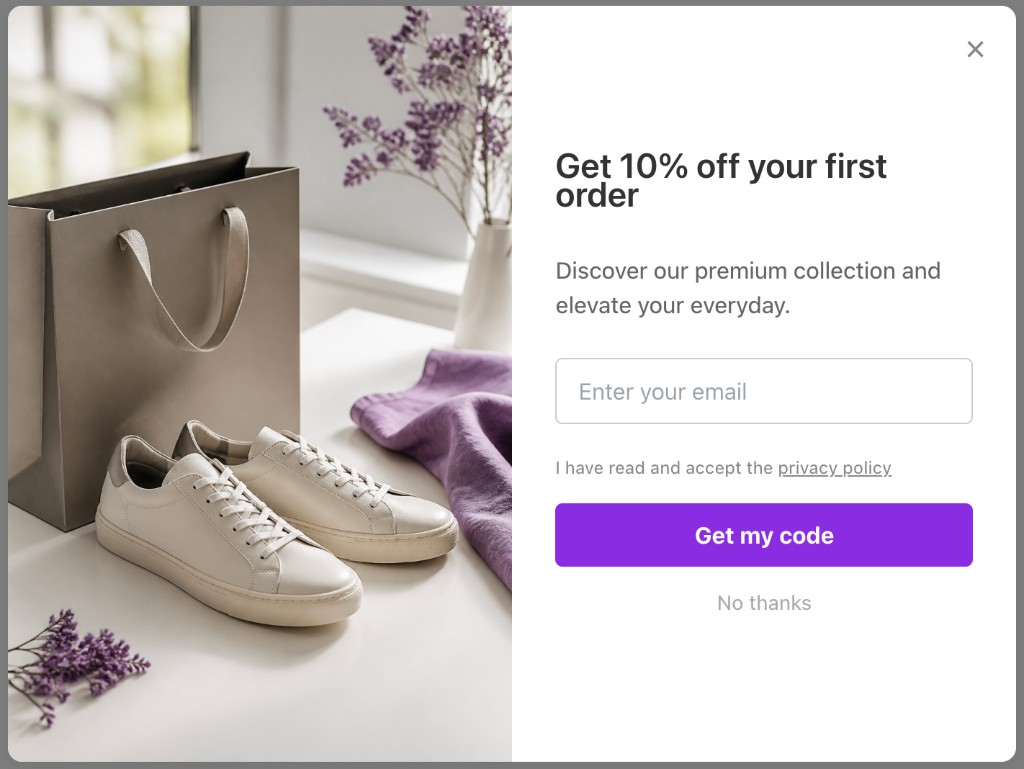
Illustrative Popup Wizard campaign concept
From App Store install to a live newsletter signup popup — no theme code.
Install the app and enable the Popup Wizard app embed in your theme editor.
Describe the popup to AI, or use the manual modal builder with an email field and your own copy.
Add a short delay or exit-intent trigger, set when it can re-show, and stop showing it to visitors who already submitted.
Pick the Klaviyo list for new signups and map fields, or POST leads to Zapier, Make, or your own endpoint.
No template maze. Describe the popup you want and let AI draft it, or build a bar or modal yourself in the Popup Wizard dashboard inside Shopify admin.
Share the goal, offer, and button text in a short prompt. You get a complete draft — copy, layout, and CTA — to tweak before it goes live.
Write your own headline, body, and CTA. Pick bar or modal, place the image left or right of the copy, and match your theme colors.
AI copy, smart targeting, and direct list sync — on a free plan with no branding.
Describe your offer once and get a ready-to-publish signup popup in seconds.
Email, name, phone, or custom fields — per campaign.
On Growth, UTM and device data are saved with each signup so you know which campaigns grow your list.
Keep exploring Shopify popup guides — or return to the main Shopify app page.
Common questions about Shopify email popup and Popup Wizard.
Install Popup Wizard and launch your first email signup popup free.