
Recover leaving visitors
Give hesitant shoppers one more reason to stay — a code, free shipping, or a bestseller.
Shopify exit-intent
An exit intent popup appears when a visitor moves to close the tab or hit back. It’s your last chance to offer a discount, free shipping, or a reason to subscribe — without interrupting shoppers who are still browsing.
It only shows to people who were leaving anyway, so it recovers sales without annoying engaged shoppers.
Give hesitant shoppers one more reason to stay — a code, free shipping, or a bestseller.
Shoppers who are still browsing never see it, so the experience stays clean.
Even if they don’t buy today, a signup lets you follow up with a welcome flow.
On desktop, exit-intent detects the cursor moving toward the browser’s close button or address bar. That moment is the most natural time to make an offer: the shopper has already seen your products and is deciding not to buy.
Keep exit offers short. A visitor on the way out will read a headline and a button, not a paragraph. “Wait — take 10% off your first order” with one email field and one button outperforms a long message.
Combine exit-intent with URL targeting for better results — product and cart pages are where hesitation is highest — and cap frequency so the same visitor isn’t stopped every time they leave.
Common mistakes
Short headline, clear incentive, one field, and an easy way to say no.
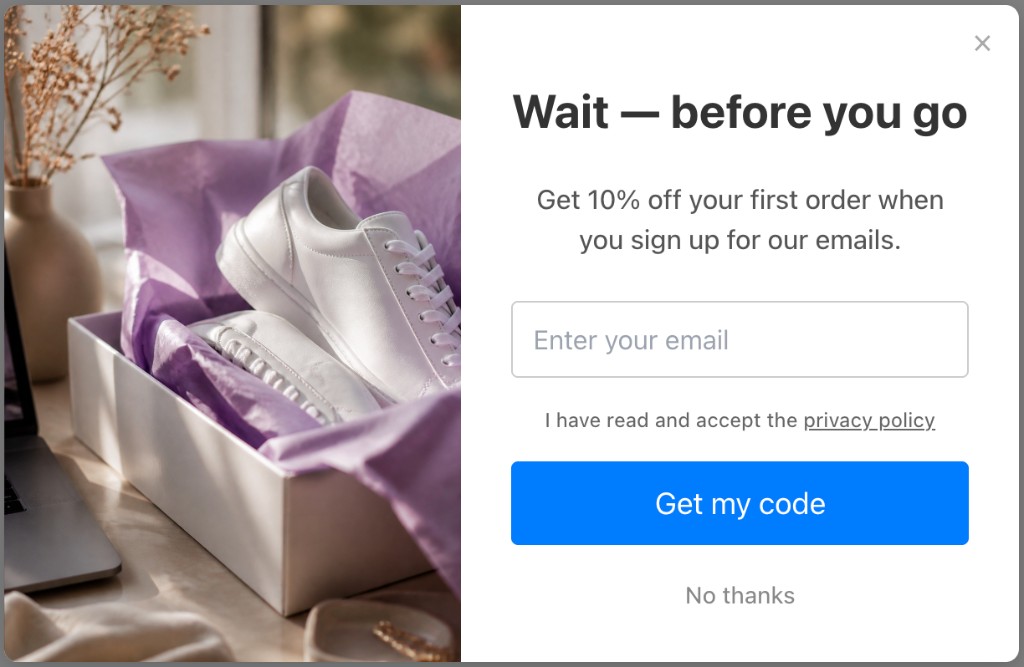
Illustrative Popup Wizard campaign concept
Turn on exit-intent for any campaign in a few clicks.
Install from the Shopify App Store and enable the app embed in your theme.
Ask AI for an exit-intent popup with your offer, or build a short modal manually.
Turn on exit-intent in targeting, and optionally limit it to product or cart pages.
Set how long before it can re-show (or never), then track recovered conversions.
No template maze. Describe the popup you want and let AI draft it, or build a bar or modal yourself in the Popup Wizard dashboard inside Shopify admin.
Share the goal, offer, and button text in a short prompt. You get a complete draft — copy, layout, and CTA — to tweak before it goes live.
Write your own headline, body, and CTA. Pick bar or modal, place the image left or right of the copy, and match your theme colors.
Exit-intent is included on the free plan, with the targeting to use it well.
No upgrade needed to turn it on.
Combine exit-intent with URL, device, and UTM targeting.
Loads after your page content, so it doesn’t slow down your store.
Keep exploring Shopify popup guides — or return to the main Shopify app page.
Common questions about Shopify exit intent popup and Popup Wizard.
Install Popup Wizard free and recover shoppers before they leave.