
Direct list sync
New signups are added as Klaviyo profiles and subscribed to the list you pick for each campaign.
Klaviyo + Shopify
Build signup popups with AI in Popup Wizard and send every subscriber straight to the Klaviyo list you choose — with fields mapped to Klaviyo profile properties, ready for your flows.
Klaviyo is great at email. Popup Wizard focuses on the popup — AI creation, targeting, and on-site analytics — and hands the lead to Klaviyo.
New signups are added as Klaviyo profiles and subscribed to the list you pick for each campaign.
Map popup fields to Klaviyo properties like first name, phone, city, or any custom property.
Describe the popup in a prompt instead of building every form from scratch.
Klaviyo’s built-in signup forms work well if you are comfortable designing every form yourself. Many Shopify merchants add a dedicated popup app when they want faster creation, more targeting options, or popups and announcement bars managed in one place.
Popup Wizard keeps Klaviyo as the source of truth for your list and flows. The popup collects the lead, Popup Wizard sends it to Klaviyo with the fields you mapped, and your welcome series takes over from there.
Because each campaign picks its own list, you can send discount-popup signups to one list and newsletter or lead-magnet signups to another — and trigger different flows for each.
The shopper sees a simple signup — the profile lands in Klaviyo with mapped fields.
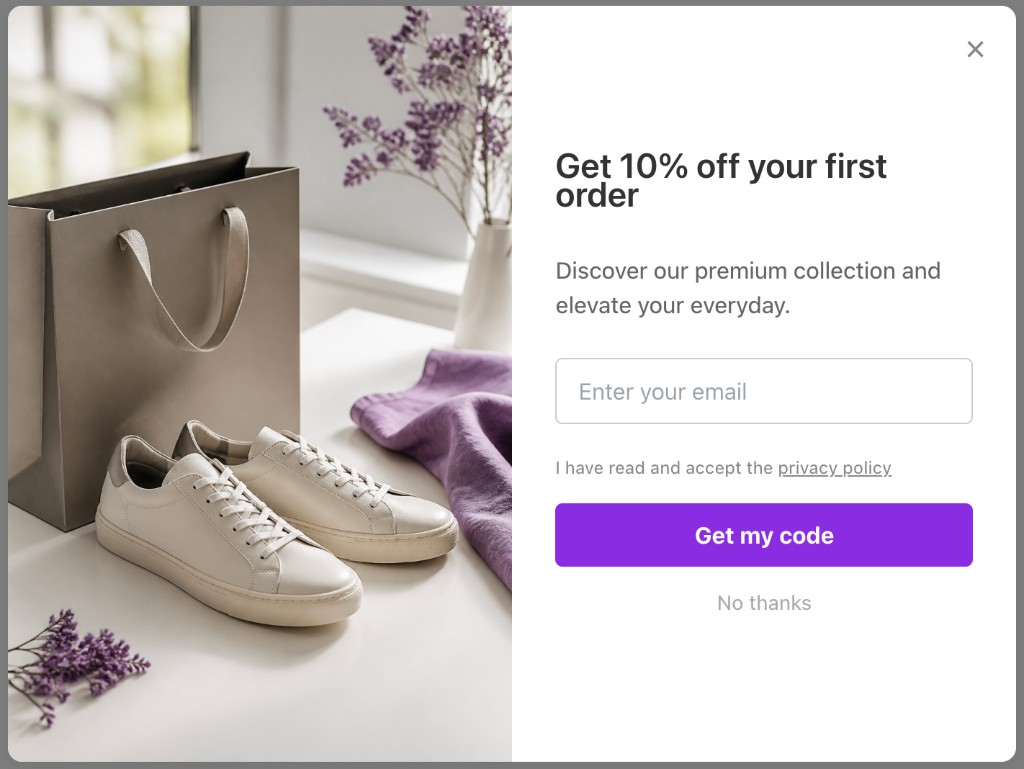
Illustrative Popup Wizard campaign concept
Set up once, then every campaign can sync to Klaviyo.
Install from the Shopify App Store and enable the app embed in your theme.
Add your Klaviyo API key in the Popup Wizard integrations settings.
Generate an email or discount signup popup with AI, or build one manually.
Select the Klaviyo list for this campaign and map each popup field to a Klaviyo property, then publish.
No template maze. Describe the popup you want and let AI draft it, or build a bar or modal yourself in the Popup Wizard dashboard inside Shopify admin.
Share the goal, offer, and button text in a short prompt. You get a complete draft — copy, layout, and CTA — to tweak before it goes live.
Write your own headline, body, and CTA. Pick bar or modal, place the image left or right of the copy, and match your theme colors.
A focused popup tool that respects Klaviyo as your email platform.
Klaviyo sync is included on the free plan — not locked behind an upgrade.
Send the same leads to Zapier, Make, or your own backend if you need to.
See impressions, dismissals, and conversions per popup to know which offer fills your list.
Keep exploring Shopify popup guides — or return to the main Shopify app page.
Common questions about Klaviyo popup for Shopify and Popup Wizard.
Install Popup Wizard free and start syncing signups to Klaviyo today.