
Faster first draft
Headline, body, CTA, and layout structure from a short prompt you can regenerate.
AI on Wix
Most Wix popup tools start from template grids. Popup Wizard starts from your brief — AI drafts the campaign, or you build a simple bar/modal manually.
You already know the offer. Describe it once instead of hunting for a layout that almost fits.
Headline, body, CTA, and layout structure from a short prompt you can regenerate.
Colors, fonts, spacing, and image placement stay under your control after generation.
Simple bars and modals do not need AI — write copy and flip image vs content position yourself.
You already know the offer. Describing it is faster than browsing lookalike templates that almost match your brand.
Most legacy popup tools organize creation around template grids. That feels productive until you spend twenty minutes swapping colors on a layout that still does not match your Wix theme. Popup Wizard is built the other way: describe the goal, layout, CTA, and behavior in a prompt; get a draft bar or modal; refine in the editor.
There is still a non-AI path. The manual bar and modal builder is for simple campaigns — free shipping bars, short announcements, or when you want full control of image vs content position without using an AI campaign slot. Same targeting and analytics either way.
Prompt quality drives first-draft quality. Include goal, layout hint (centered, two-column, portrait), exact CTA language, and what happens after click. Regenerate freely on the free plan’s AI campaign, then lock branding before you publish.
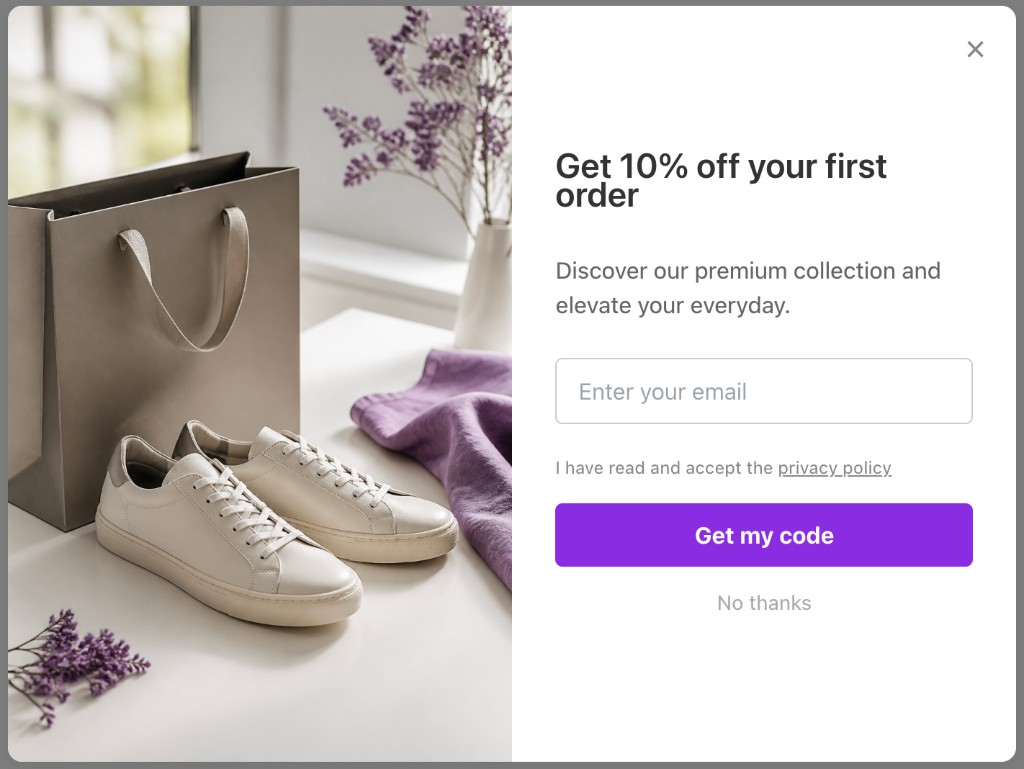
“Goal: email capture with 10% off. Layout: two-column, image left. CTA: Get 10% off. Behavior: submit email, show success. Brand: calm ecommerce, violet accents.”
Common mistakes
Describe the campaign → review the draft → publish to your Wix site.
Your prompt
Create a two-column Wix email signup popup with a lifestyle image, “Get 10% off” headline, email field, and CTA.
No template picker — describe the outcome instead.
Install, prompt, refine, target, publish — or take the manual path for simple bars.
One-click install into your Wix site — no embed script required for the native app.
AI path: write a prompt with goal, layout, CTA, and behavior. Manual path: pick bar or modal and enter your own content.
Adjust colors, copy, fields, and image position until it matches your Wix brand.
Set URL, device, timing, exit-intent, and frequency rules — then go live.
Popup Wizard does not use a template library. You create campaigns with AI from a prompt, or build a simple bar or modal manually and adjust image vs content position.
Describe the goal, layout, and CTA in a short prompt. Popup Wizard drafts copy and layout you can refine in the dashboard before publishing.
Write your own headline, body, and CTA. Choose bar or modal, then place the image left or right of the content — ideal for simple announcements and free-shipping bars.
Three ways people build Wix popups — pick based on speed and control.
Native Wix app, honest product model, free plan to prove the workflow.
We do not pretend to have hundreds of templates — the product is prompt-to-popup plus a focused manual builder.
AI and manual campaigns share exit-intent, URL rules, device filters, and analytics.
Use our prompt framework: goal, layout, CTA, behavior — then iterate.
Keep exploring the Wix popup cluster — or return to the main Wix app page.
Common questions about wix ai popup and Popup Wizard.
Install from the Wix App Market and generate your first campaign from a prompt.