
Clear value exchange
Offer a discount, guide, or early access — visitors know why they should leave an email.
Wix email & newsletter
A focused Wix email popup (welcome, newsletter, or lead magnet) grows your list without cluttering every page with a permanent form.
Forms in the footer catch browsers. Popups catch people mid-visit with a clear reason to subscribe.
Offer a discount, guide, or early access — visitors know why they should leave an email.
Show a welcome or newsletter popup once per visitor, then stay out of the way.
Send leads to Klaviyo or a webhook so campaigns start from your email tool, not a CSV export.
A newsletter or welcome popup beats a buried footer form when the value exchange is obvious and the frequency is respectful.
Wix site owners usually need one of three email jobs: welcome/first-order incentive, newsletter or content list, or lead magnet delivery. Those jobs share a layout (headline, reason, email field, CTA) but they should not share the same copy. “Subscribe” alone rarely converts; “Get 10% off” or “Get the checklist” does.
Treat welcome and newsletter as the same technical campaign type (email field + targeting) with different creative. Show it once per visitor after a short delay or mild scroll — not immediately on load for every return visit. If you already collect email at checkout, keep the popup focused on non-buyers and content readers.
Delivery matters as much as capture. Popup Wizard stores the lead and can sync to Klaviyo or a webhook so the discount code or PDF goes out from your ESP, not from a manual CSV download.
“Create a Wix newsletter signup modal. Headline: Tips worth opening. Body: One short email a week — no spam. Email field, CTA Join the list. Clean two-column layout with lifestyle image on the left.”
“Centered welcome popup for first-time Wix store visitors. Headline: Get 10% off your first order. Email field, CTA Unlock my code. Friendly, short, mobile-friendly.”
Common mistakes
Headline, short proof, email field, and one CTA — the classic high-converting layout.
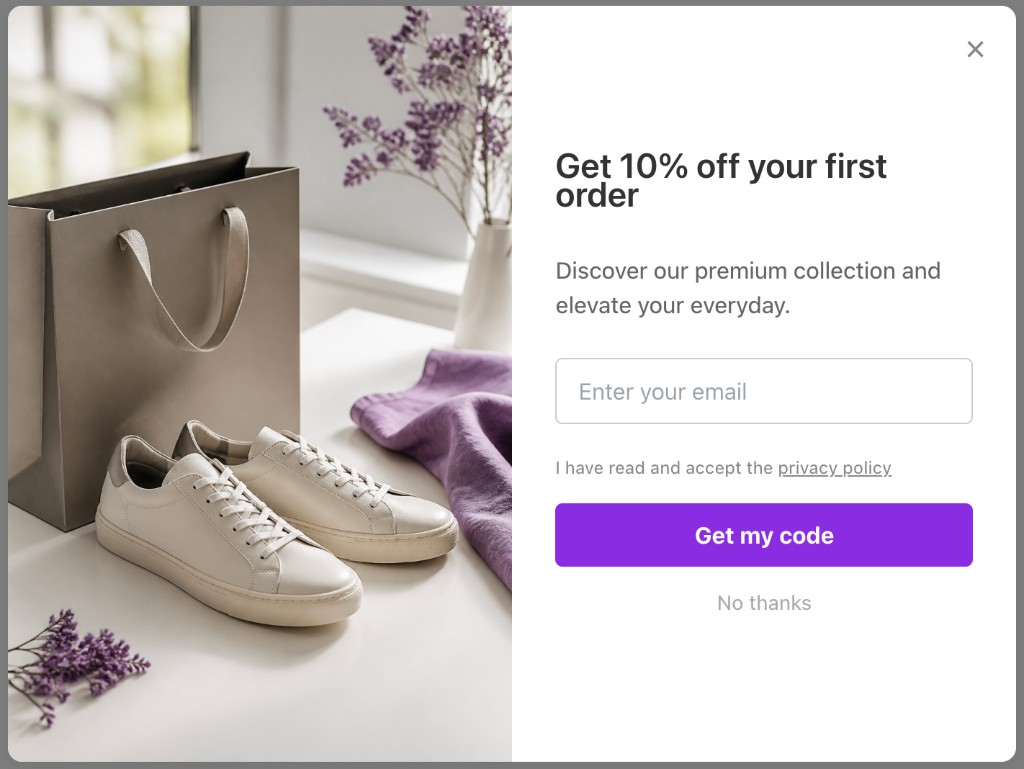
Illustrative Popup Wizard campaign concept
From App Market install to a published signup campaign.
Add the app from the Wix App Market and open the Popup Wizard dashboard.
Prompt AI for a newsletter or welcome popup, or use the manual modal builder with an email field and your own copy.
Use delay + frequency (e.g. once per visitor) and optional URL rules so the ask appears at the right moment.
Map fields to Klaviyo or POST leads to Zapier, Make, or your backend on any plan.
Popup Wizard does not use a template library. You create campaigns with AI from a prompt, or build a simple bar or modal manually and adjust image vs content position.
Describe the goal, layout, and CTA in a short prompt. Popup Wizard drafts copy and layout you can refine in the dashboard before publishing.
Write your own headline, body, and CTA. Choose bar or modal, then place the image left or right of the content — ideal for simple announcements and free-shipping bars.
AI copy plus targeting so your list grows without spamming returning customers.
Describe the offer once; refine branding in the editor before you publish.
Collect email, name, phone, or custom fields per campaign.
UTM, device, and page URL are stored with the submission for cleaner reporting.
Keep exploring the Wix popup cluster — or return to the main Wix app page.
Common questions about wix email popup and Popup Wizard.
Add Popup Wizard from the Wix App Market and launch your first signup popup free.