
One job per popup
Email, discount, or announce — mixing goals tanks clarity.
Wix examples
Browse proven Wix popup examples — then recreate them with an AI prompt or the manual bar/modal builder. No template pack required.
Each pattern has a job. Copy the structure, not the exact words.
Email, discount, or announce — mixing goals tanks clarity.
Modals for primary offers; bars for ongoing notices.
Great creatives still fail if they fire on the wrong URL or every visit.
Treat each card as a campaign job — recreate the structure with your offer, not a pixel-perfect clone.
Example galleries fail when people copy wording that does not match their brand or when they launch every pattern at once. Pick one primary job (usually email capture), ship it with tight targeting, then add exit-intent or a shipping bar once you have baseline conversion data — or ship the second pattern immediately if you already know you need recovery and awareness in parallel.
None of these examples come from a Popup Wizard template library. Prompt AI with the pattern’s job and constraints, or rebuild a short bar manually. For seasonal spins, adapt the same structures with real dates — see the Black Friday popup examples post for sale-week variations.
When you judge results, look at conversions relative to impressions and dismissals. A pretty modal with high dismiss and low submit needs a clearer offer or later timing, not a new color.
Common mistakes
Skim formats below, then open a feature guide for setup steps.
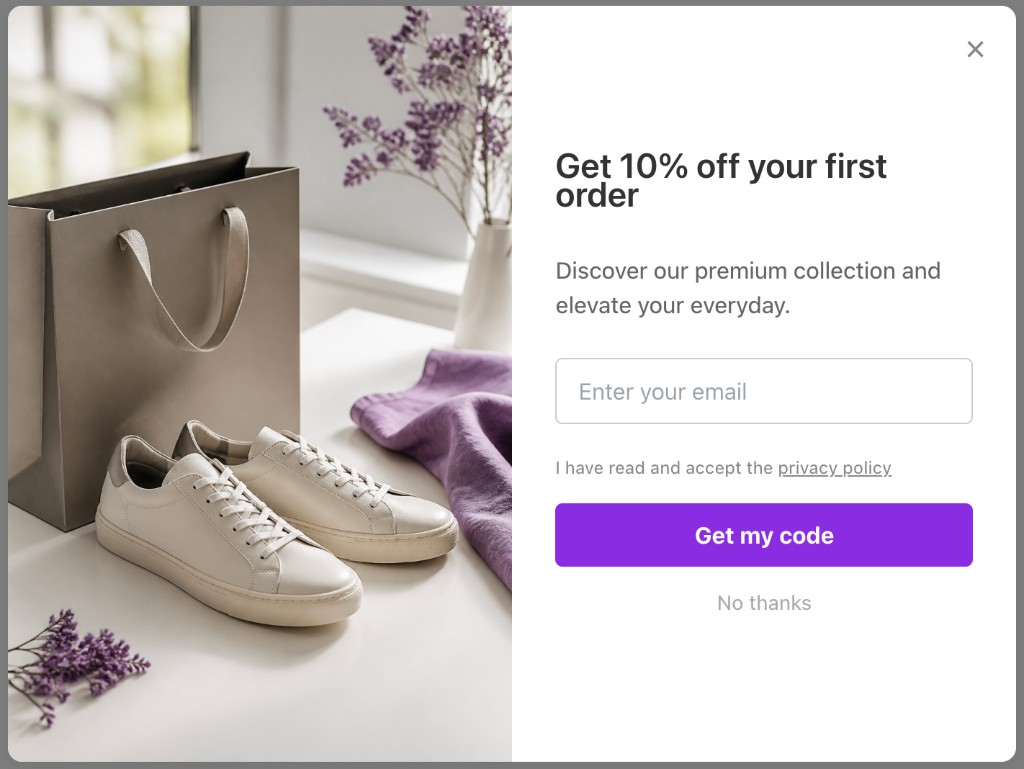
Email capture
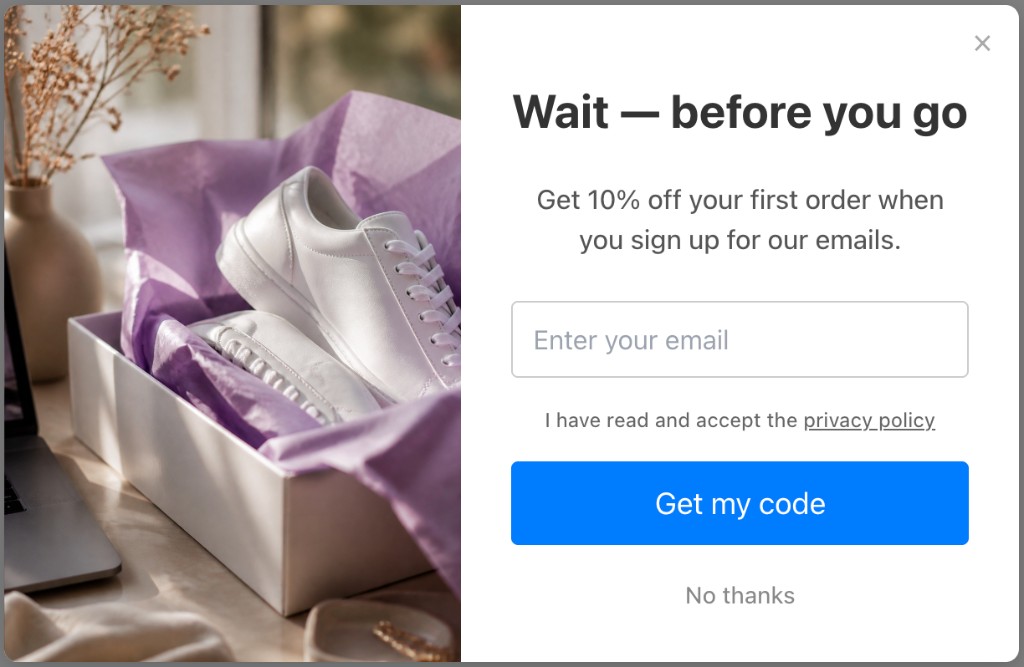
Exit-intent
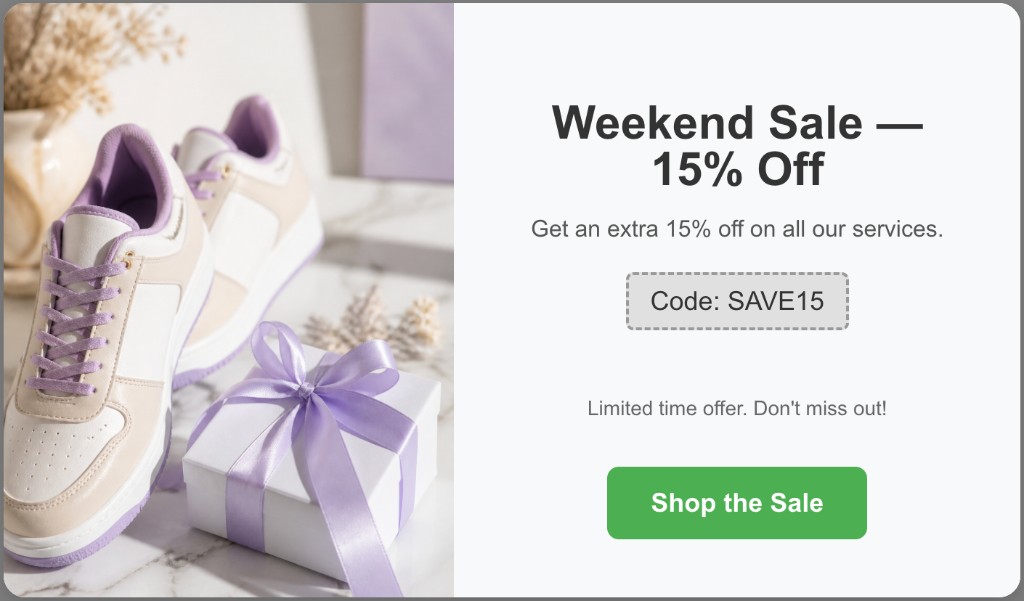
Discount
Steal the structure — rewrite the offer for your Wix brand.
modal
First-visit modal with discount-for-email exchange.
10% off — join the list
modal
Last-chance offer when the visitor is leaving.
Wait — grab 10% before you go
bar
Persistent reminder of the shipping threshold.
Free shipping over $50
modal
Deadline-forward modal for a real sale window.
Sale ends Sunday night
modal
No discount — content value exchange for creators and coaches.
Weekly tips in your inbox
bar
Service update without blocking browsing.
Holiday hours this week
Install Popup Wizard, prompt with the pattern, publish with targeting.
Choose email, discount, exit-intent, bar, or seasonal urgency from the gallery.
Describe the example in a prompt, or recreate it in the manual builder with your brand copy.
Apply the trigger that fits — delay, exit-intent, URL, device, frequency.
Measure conversions, then regenerate or edit copy based on results.
Popup Wizard turns patterns into published campaigns without a template store.
Paste the pattern goal into a prompt and refine.
Three-word shipping bars do not need a long prompt.
Compare example-inspired campaigns side by side.
Keep exploring the Wix popup cluster — or return to the main Wix app page.
Common questions about wix popup examples and Popup Wizard.
Install Popup Wizard and turn a pattern into a live campaign in minutes.